How to Add World Cup 2026 to Google Calendar (ICS Import)
Import all FIFA World Cup 2026 matches into Google Calendar, Apple Calendar, or Outlook using a free ICS file — with timezone and team filters.
The easiest way to never miss a kickoff is to import World Cup 2026 into Google Calendar (or Apple/Outlook) with a single ICS file.
Our download hub generates calendar files from live schedule data — same source as the full schedule and knockout bracket.
Step-by-Step: Google Calendar
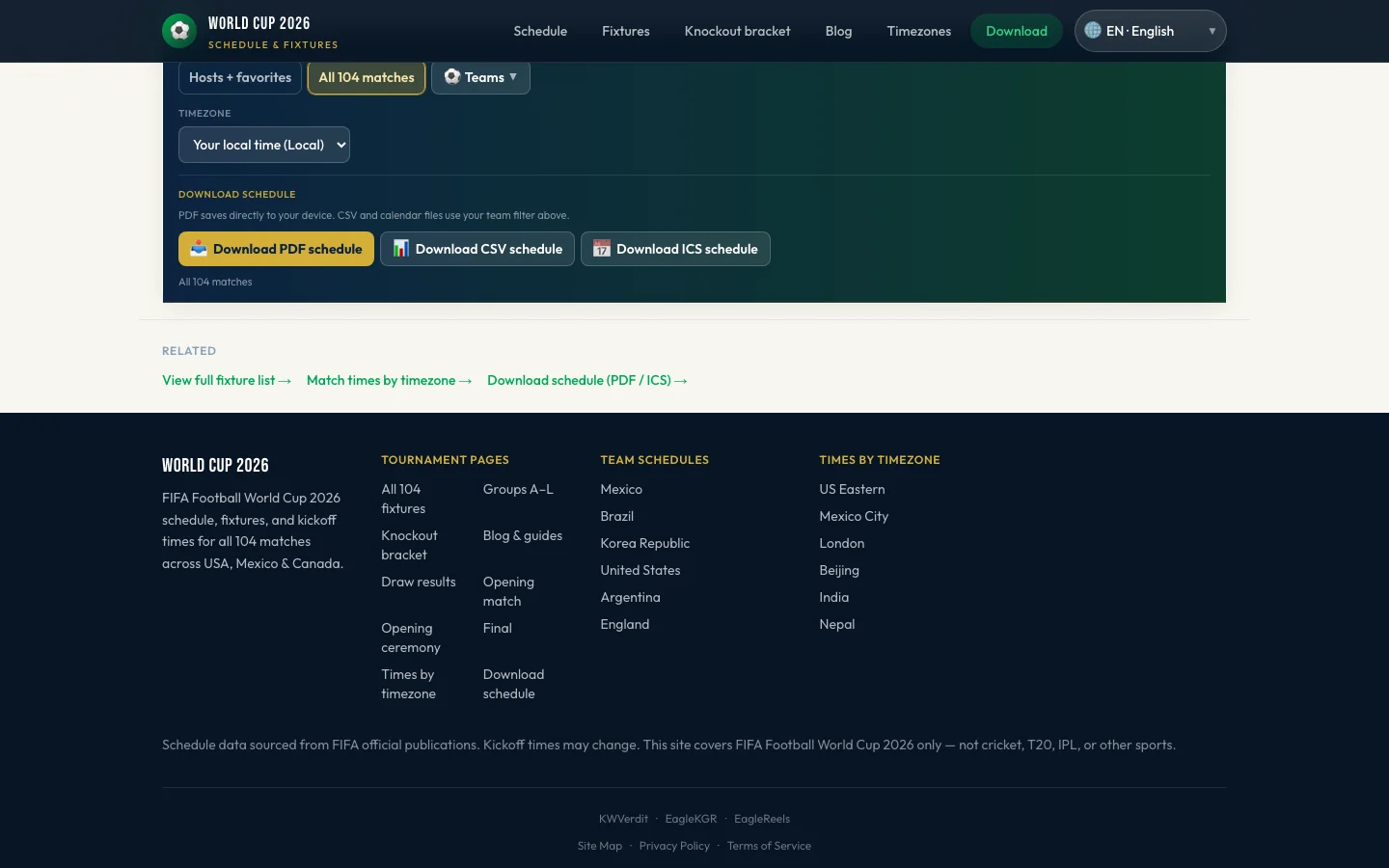
- Go to download on World Cup 2026 Schedule
- Select your timezone (UK, US Eastern, India IST, etc.)
- Optionally pick teams to include only those fixtures
- Click Download ICS
- In Google Calendar: Settings → Import & export → Import → upload the
.icsfile
Each match becomes an event with correct local kickoff time.
Apple Calendar & Outlook
- Apple (Mac/iPhone): Double-click the ICS file or use File → Import in Calendar
- Outlook: File → Open & Export → Import/Export → import iCalendar
Update Knockout Opponents
Early ICS exports may show placeholder team names for third-placed slots. Re-download after the group stage or before each knockout round for updated opponents — or keep the full tournament file and edit events manually.
Also available: PDF printable schedule.
FAQ
Is the ICS file free?
Yes, from our download page.
Does ICS include all 104 matches?
Yes, unless you filter by team.
What timezone is used in the calendar?
The timezone you select on the download page before generating the file.
Last updated: June 28, 2026 · Sources: World Cup 2026 download hub.
더 많은 글
World Cup 2026 Group A Schedule & Results
Complete FIFA World Cup 2026 Group A fixtures, results, and standings — Mexico's group with South Africa, South Korea, and UEFA playoff winner.
World Cup 2026 Group D Schedule: USA Matches & Results
Full USA Group D World Cup 2026 schedule — USMNT vs Paraguay, Australia, Türkiye with results, standings, and knockout path after winning the group.